
Why can't I pick a date when I add a job?
Because LawnFlow books a job into a week, not onto a day. You pick the week it’s due when you add it, then choose the day when you plan that week.
Most lawn rounds work like this. A customer is due “every two weeks”, not “every second Tuesday”. The day moves with rain, a public holiday or a big job. So when you add a job, the When? question asks which week: Today, This Week, Week +1 and so on. The app says it right under the choices:
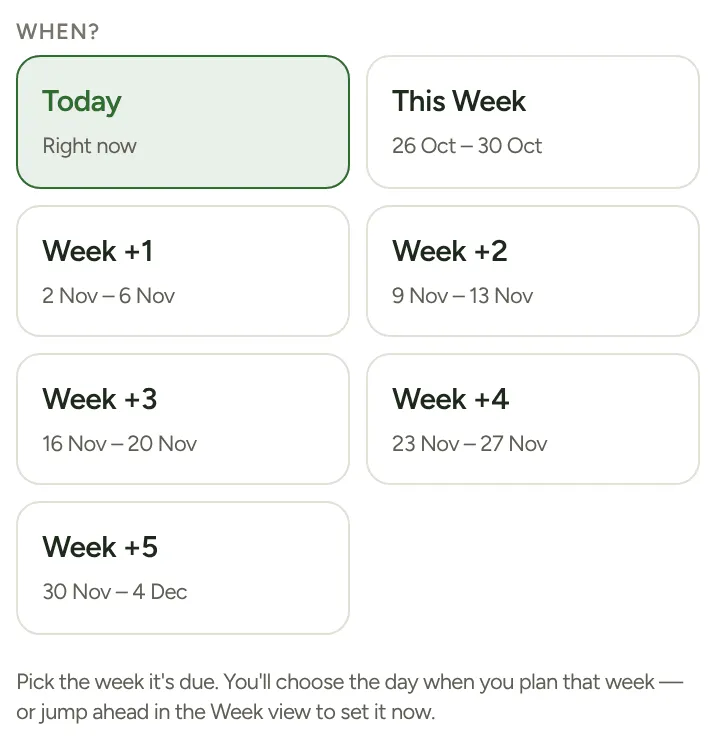
Pick the week it’s due. You’ll choose the day when you plan that week — or jump ahead in the Week view to set it now.
When does it get a day?
Section titled “When does it get a day?”When you plan that week. The job waits in the Week tab under To schedule until you put it on a day. See How do I plan my week?
I know the day already
Section titled “I know the day already”Set it now:
- Open the Week tab.
- Tap › to go forward to the week you picked (Next week, then the weeks after).
- Tap + Add / edit on the day, then tap the job to put it there.
The job then turns up on that day’s run automatically.